Dark Web Alert to Client Call: A 15-Minute MSSP Triage Workflow
Phone the client the same day in three cases: the source is a stealer log, a breach under a year old exposed passwords stored in plaintext or easy to crack, or a senior person's address comes with any password data. Everything else gets a written note today or a line in the next report.
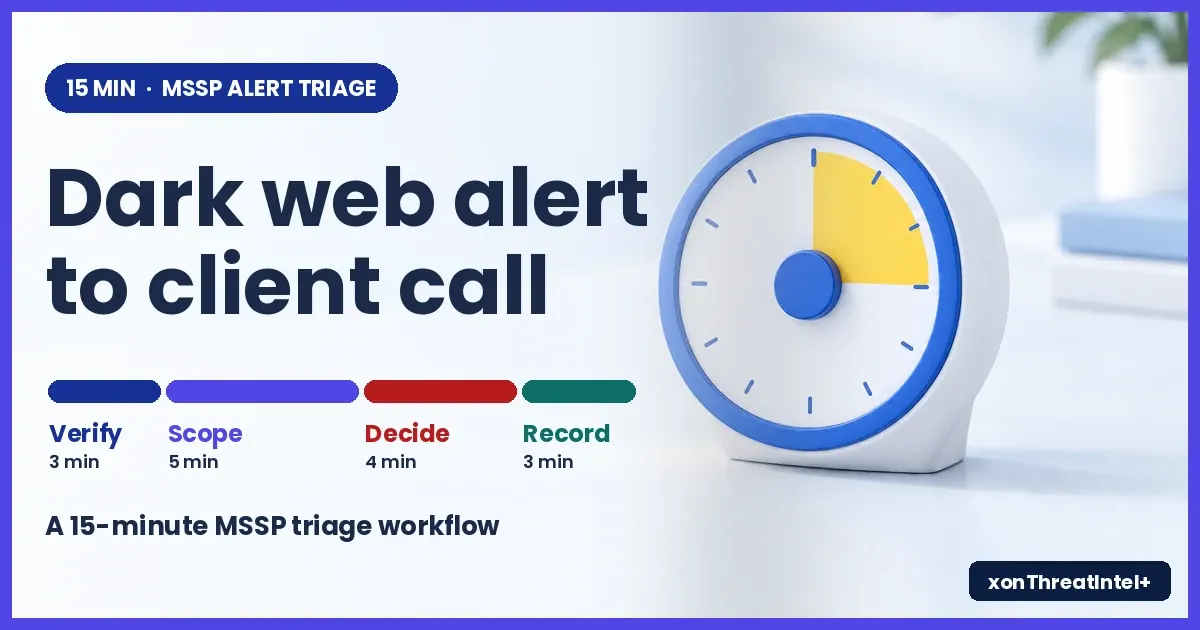
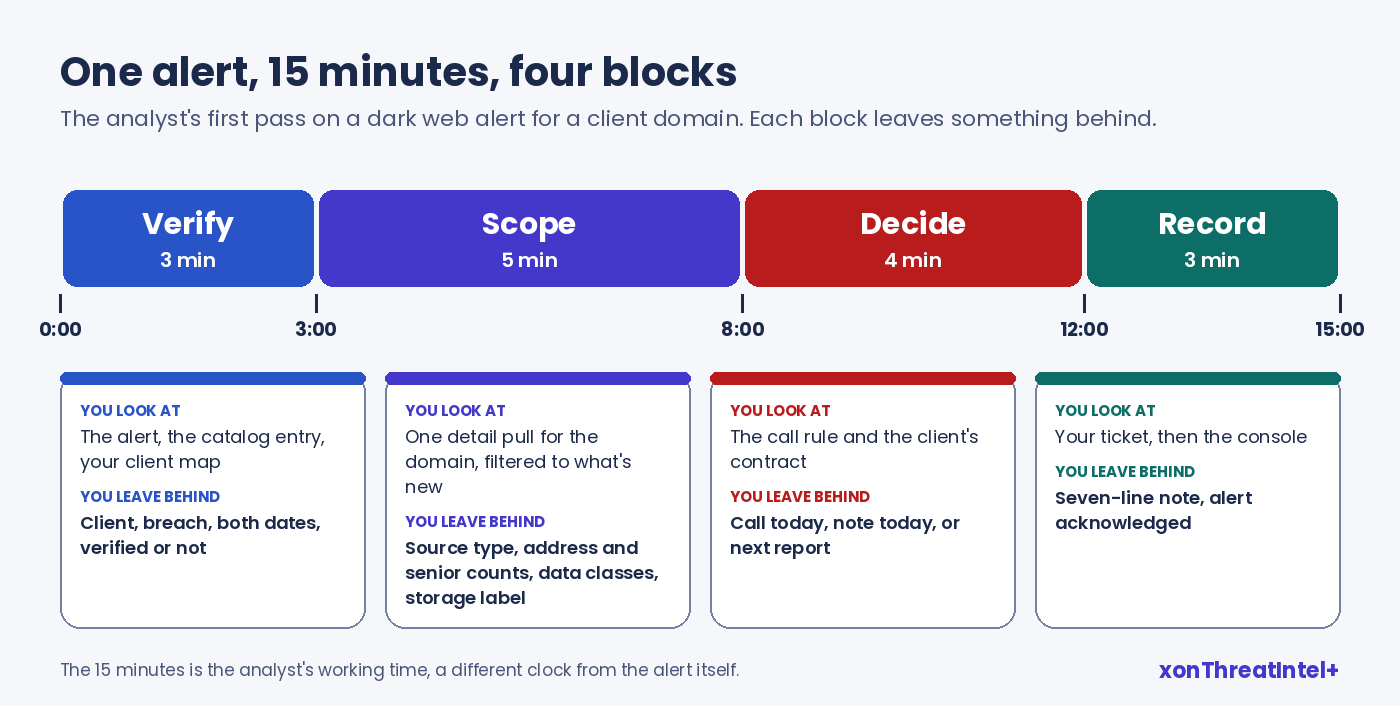
That's the rule we'd start from. And an analyst can get from a dark web alert to that decision in 15 minutes: verify, scope, decide, write it down.
(A dark web alert, for an MSSP, is a notice that email addresses on a client's domain have turned up in a breach, a combolist or a stealer log that a monitoring service has just indexed.)
The 15 minutes in this post is your analyst's working time. Ours is a different clock: xonThreatIntel+ alerts reach you under 15 minutes for onboarded domains, after a breach lands in our index. Please don't add the two together.
We read 32 pages that rank for dark web alert and alert triage searches on 13 November 2026. They came in three kinds: triage guides built for SIEM noise, consumer pages telling one worried person to change a password, and MSP sales pages. None showed what's inside an exposure alert or said when to pick up the phone.
Why put a clock on one alert?
NIST's current incident response guide, SP 800-61 Rev. 3 (April 2025), asks for a "preliminary review" of a new incident report. Verify it, then "estimate the severity of the incident and the level of urgency needed to respond to it". The same section says incidents "should not be handled on a first-come, first-served basis".
NIST doesn't put a number on that review. We do, because a step with no limit quietly eats the morning.
Is 15 minutes realistic, though? In one small study at a commercial SOC (Kersten et al., ACSAC 2024), four tier 1 analysts took a median of 10 minutes per alert. The alerts they judged interesting ran to 16.5, and the slowest took 44.
Those were network alerts, and four people is four people. Still. It's the only measured figure we found, and it tells you 15 is a budget for a first pass that some alerts will blow through.
And the job repeats. Small organisations in the 2026 Verizon DBIR dataset had a median of seven credential leak events a year, larger ones about 20 (p. 45).
Multiply that by your client list. So the routine matters more than any single alert. Our side of it is to put the facts in front of your analyst in one pull, so the 15 minutes goes on the decision.
The run, minute by minute
| Minutes | Step | You look at | You leave behind |
|---|---|---|---|
| 0 to 3 | Verify | The alert, the catalog entry, your client map | Client name, breach, both dates, verified or not |
| 3 to 8 | Scope | One detail pull for that domain, filtered to what's new | Source type, address and senior counts, data classes, storage label |
| 8 to 12 | Decide | The call rule, the client's contract | Call today, note today, or next report |
| 12 to 15 | Record | Your ticket, then the console | A seven-line note and an acknowledged alert |
Minutes 0 to 3: is it new, and whose is it?
The alert names the client domain and the breach. On the $99 tier it comes by email, and from the $243 tier up there's one signed webhook per account as well.
Either way you land in the same place. The partner dashboard shows the alert with the affected domain, breach details, exposure counts and a severity level. (That badge sorts your queue. Don't read it out to anyone.)
Three checks, then move on.
- The client. There's no client or group object on our side: the domain is the unit, and you keep the client-to-domain map. If your tickets already carry the client's name, your multi-tenant setup has done this bit.
- The verified flag. Open the breach in the public catalog and look for it. Of the 146 breaches we added in the 52 weeks to 13 November 2026, 143 carry it.
- The two dates. Every entry has the month the breach happened and the day we indexed it, and "new" on an alert means new to our index. A breach from years back can be this morning's finding.
Minutes 3 to 8: how much of it is theirs?
One request does most of the work here. Pull the domain's detail from the partner API with since set, so only the new material comes back:
curl "https://plus-api.xposedornot.com/v2/partner/domain-summary?domain=examplecorp.example&details=true&since=2026-11-12T00:00:00Z" \
  -H "X-API-Key: $XON_PARTNER_KEY" \
  -H "User-Agent: yourmssp-triage/1.0"
The since filter goes by when we acquired a breach. Its own date doesn't matter. What comes back is this alert and nothing older: the breach's metadata, the exposed addresses (one row per address and breach) and a seniority count limited to executives in the new data.
Write down five things. The source type in breach_type comes first, because a stealer log changes everything after it. Then how many addresses, and how many of them are senior (c_suite, vp, director).
Last, the data classes in xposed_data and the storage label in password_risk. Check that Passwords really is among the data classes before you lean on the label (two additions in our window carried a label without it).
One trap. xposed_records is the size of the whole breach, every user of that site, while your client's share is the address count. Mix them up and you'll tell a 40-person firm that five million records leaked.
Another, smaller one: seniority is filled in by an enrichment job after onboarding, so a domain you added last week can show zeros for a while.
An admin without a script can send a report on demand from the console instead. The CSV covers every approved domain, with the address, breach, breach date, data classes and seniority on each row. Filter it to this client and this breach, and read the storage label off the dashboard's Password Risk column (slower, but it works on day one).
What you still won't know is who on that list works there today. That's in the client's directory, and it becomes your one question on the call.
Minutes 8 to 12: call, write, or wait?
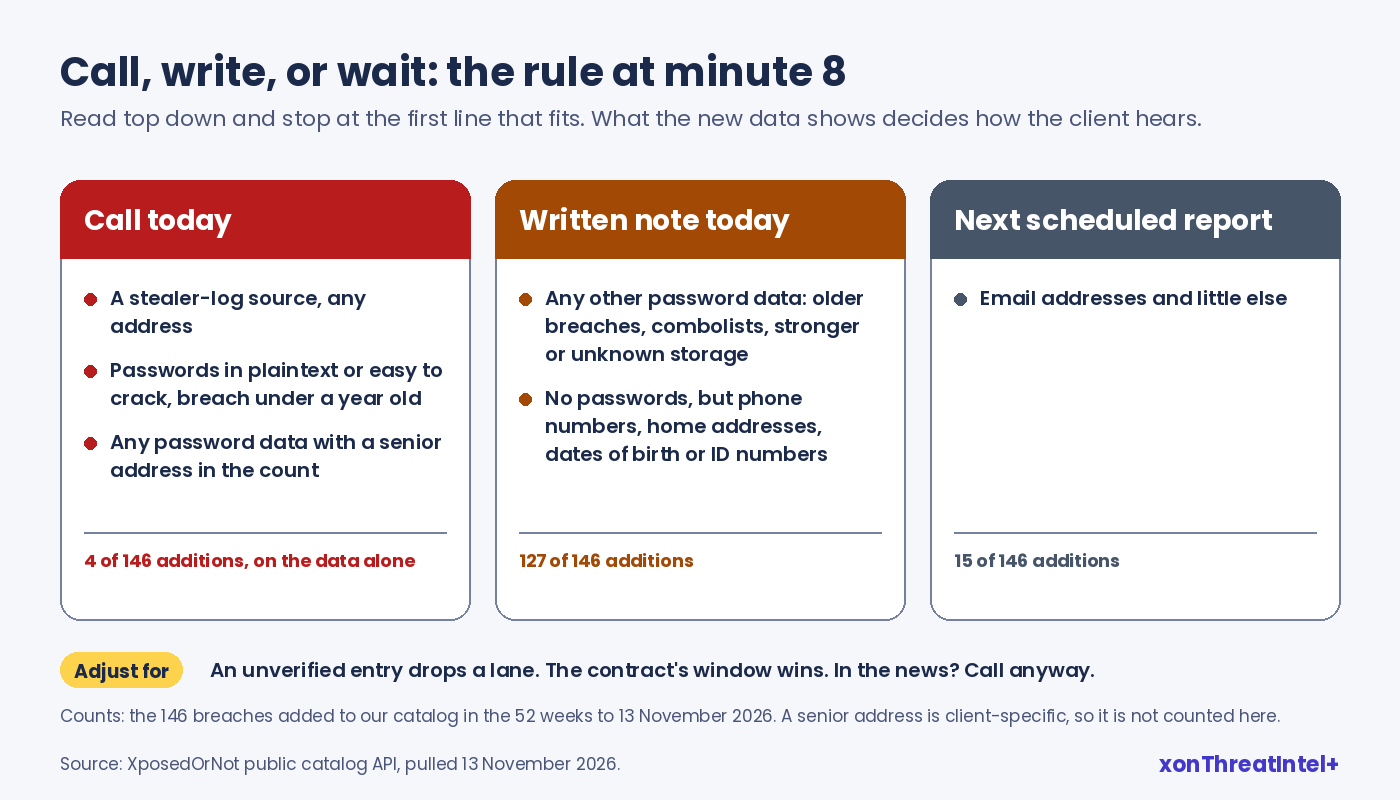
Here's the rule in full, the one we'd start from. Read it top down and stop at the first row that fits.
| If the new data shows | Do this | Why |
|---|---|---|
| A stealer-log source, any address | Call today | Malware sat on a device, so it's an endpoint job as well as a reset |
| Passwords in plaintext or easy to crack, from a breach under a year old | Call today | Readable or quickly cracked, and recent enough to still be in use |
| Any password data, with a senior address in the count | Call today | Being wrong costs most here |
| Any other password data: older breaches, combolists, stronger or unknown storage | Written note today, with the reset list | Worth a reset, nothing to dramatise |
| No passwords, but phone numbers, home addresses, dates of birth or ID numbers | Written note today | Phishing material, so warn the people named |
| Email addresses and little else | Next scheduled report | Worth a record, hardly an interruption |
Three adjustments sit on top. An unverified entry drops one lane, and a notification window in the contract always wins. A breach that's all over the news gets a call anyway (otherwise they'll call you).
"Today" means your next working morning when the alert lands on a weekend, unless the contract says otherwise. And "under a year old" runs from the breach month to the day we indexed it.
That may sound like a lot of phone calls. Run the 146 additions through the table on the data alone and four reach a call row. That's the year's one stealer log, plus three breaches under a year old with plaintext or easy-to-crack passwords.
Another 127 land on a written note. Of those, 31 carried password data that was older, better stored or of unknown storage, and 96 had no password but a phone number, a home address or a date of birth. The last 15 wait for the report.
A senior address moves an alert up from the note lane, and that part depends on your client, so we can't count it for you.
Why does breach age sit in the rule at all? Because old breaches were the password-heavy ones in our window. Passwords were in 21 of the 40 additions that were a year old or more when we indexed them (52.5%), and in 14 of the 106 newer ones (13.2%).
So an old breach still gets a reset list in writing. We'd rarely phone for one, though: plenty of those passwords have probably been changed in the years between. Rough numbers, mind: breach dates only carry month precision.
A breach hit does change the odds for that user. A Google and UC Berkeley study (Thomas et al., ACM CCS 2017) put a breach-exposed account at roughly ten times a random user's risk of hijack, on one provider's 2016 to 2017 data.
And a live password posted in the open gets tried quickly. In a UCL experiment with 100 decoy mail accounts, 80% of the unique accesses to those leaked on paste sites came within 25 days (Onaolapo et al., ACM IMC 2016).
Your client's exposed password may be long dead, of course. You can't tell from the alert. And that's the case for the same-day call on the recent, readable ones.
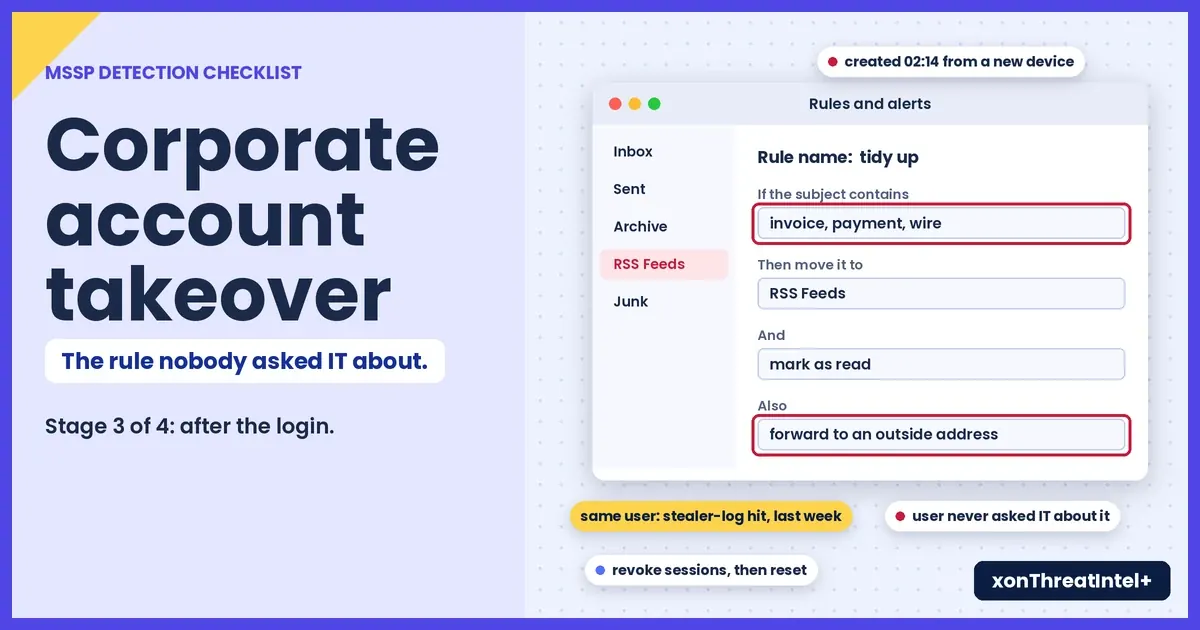
When several alerts land together, put them in the order from our corporate account takeover checklist, then run this rule on each.
Minutes 12 to 15: seven lines, then acknowledge
We haven't found a notes field on an alert in the console, so the note lives in your ticket. Ours looks like this:
Client / domain:  ExampleCorp / examplecorp.example
Breach:           ExampleBreach (DataBreach), verified, breached 2026-08, indexed 2026-11-12
Data / storage:   Email addresses; Passwords / easytocrack
New for client:   38 addresses, 2 at director level or above
Decision:         CALL TODAY (recent breach, crackable passwords)
Owner / next:     Jo calls the IT contact by 11:00; staff-list match to follow
Acknowledged:     2026-11-12 09:31 UTC
Seven lines. Whoever makes the call reads straight from it, and six months on it's your proof of what the client was told and when.
Then acknowledge the alert in the console. The status flips from Pending to Acknowledged with a timestamp, and it can be reverted if you got it wrong. Our own docs give the order: "Document investigation findings before acknowledging an alert."
The call: three sentences and one question
Keep the opening to what the note says.
"Hi Sam, it's Jo from your security team. A site called ExampleBreach was breached in August, and the data reached our monitoring this morning: 38 of your company's email addresses are in it, with passwords for that site stored weakly enough to be cracked. That doesn't mean anyone's got into your systems, and I'm calling so we can reset the right people today."
Then the question: "Which of these 38 still work for you?"
Only the client can answer that, and the answer splits the list into resets and accounts to close. Send the list straight after, through whatever channel you've agreed for sensitive files (never pasted into a ticket reply).
How fast is fast enough? The 2022 joint advisory for MSPs and their customers (CISA with six partner agencies) gives no number. It says "contracts should detail how and when MSPs notify the customer of an incident affecting the customer's environment".
An exposure alert sits a step short of an incident in the client's environment, but we'd take the advice anyway. Put the three outcomes from the table into your service description, and nobody argues about timing after the fact.
European guidance has a useful habit for a provider reporting a breach of its own: tell the client promptly, with more detail "in phases" (EDPB Guidelines 9/2022 , para. 45). An exposure in somebody else's breach isn't that legal situation. But the habit travels well: a short call now, the fuller note after.
What's still open at minute 15
Plenty. That's fine. The first pass ends with a decision, and the ticket stays open.
- The staff-list match: current, leaver, shared mailbox, service account.
- For a stealer-log hit, an endpoint ticket and a session revoke for each address, before any reset.
- Whether MFA is enforced for the people on the short list.
- Sign-in and mailbox logs for those same people, if you hold them.
- The resets, and proof they happened.
None of those are ours to settle. We match on email addresses and domains, so you won't get a password, a cookie or a session token from us, and we can't see whether a login still works.
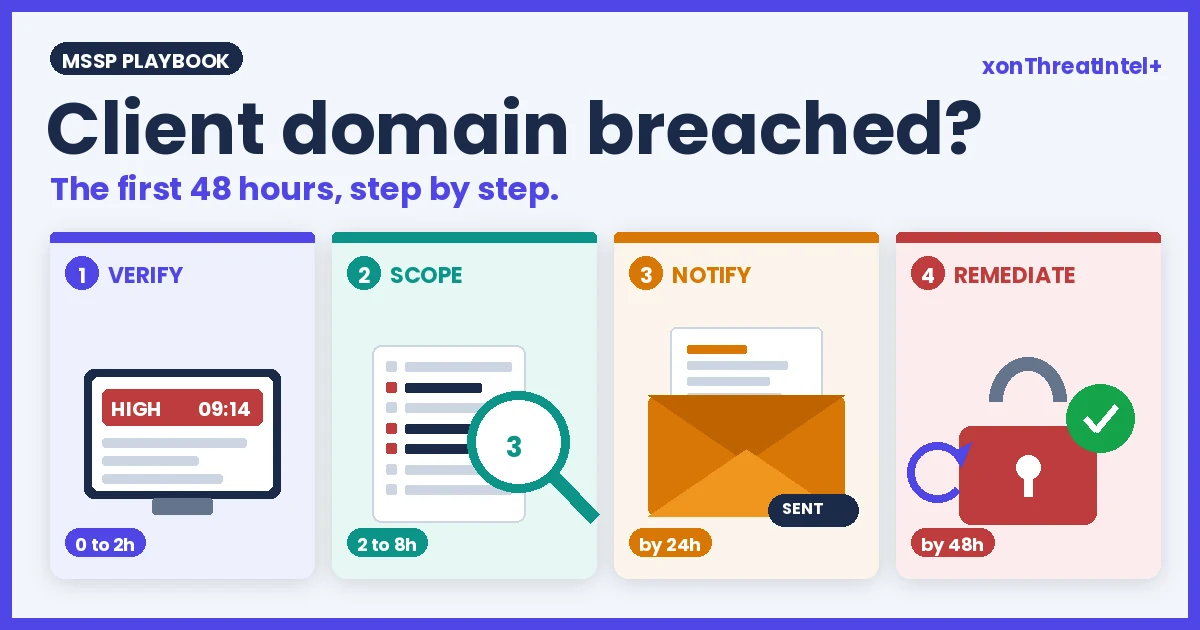
The alert gives you the address, the source and what came with it. Everything after that is your tooling and the client's, and the first 48 hours after a client domain is breached picks up from here.
How often will this run?
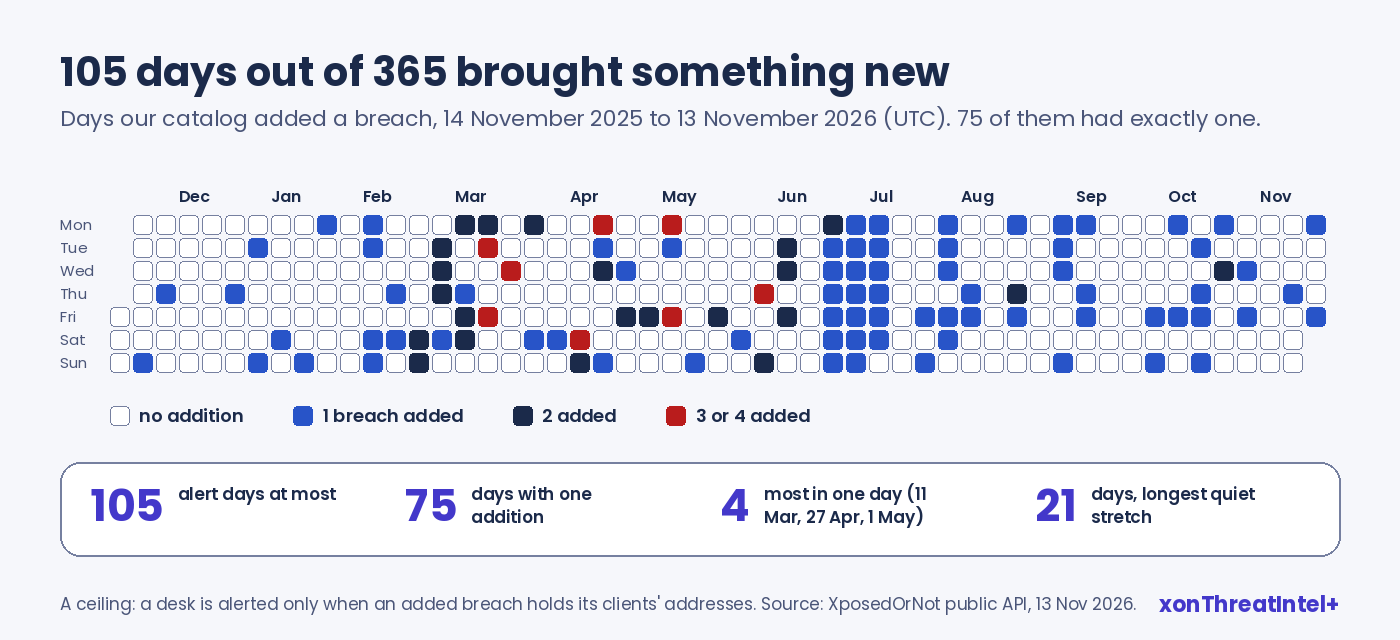
We can't see your queue, so here's ours. Our catalog took in new breaches on 105 of the 365 days to 13 November 2026, and on 75 of those days there was exactly one. Four in a day was the most we saw, and the longest quiet stretch ran 21 days.
Read that as a ceiling. You're only alerted when an added breach holds addresses on a domain you've onboarded. Even at the ceiling it's a small job.
Say every one of the 146 additions touched the same client. That's 146 first passes at 15 minutes each, or about 36 and a half hours across the year for that domain.
The feed behind it is flat-priced: $99, $243 or $447 a month for 10, 25 or 50 domains, custom above 50. Plan detail is on the MSSP page. Analyst time is the bigger line, which is why it's worth budgeting by the alert.
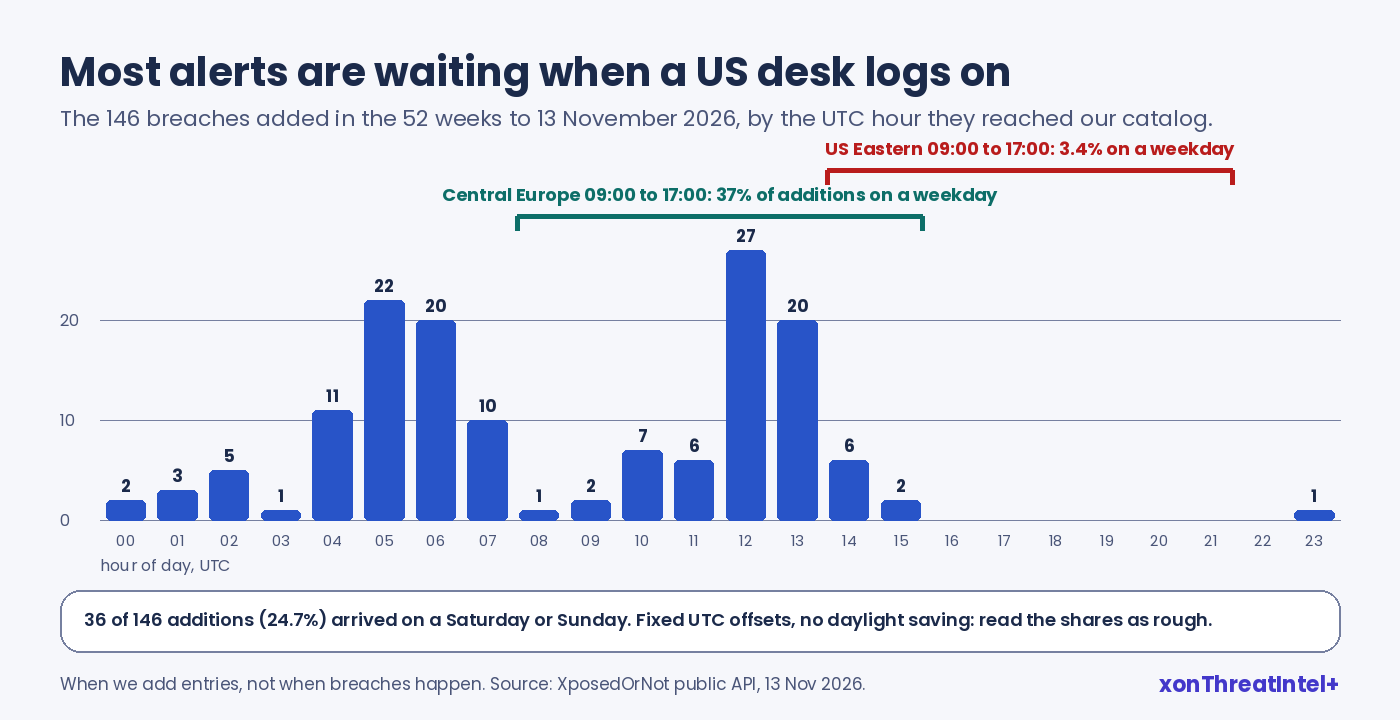
When do they land? About a quarter of the additions (36 of 146) arrived on a weekend, by UTC. All but one came in between 00:00 and 16:00 UTC, which put 3.4% inside a US Eastern working day and 37% inside a Central European one (fixed offsets, so call it rough).
For a US desk, then, nearly every alert in that year was already waiting when the shift started. It's a description of the last 52 weeks and no promise about the next, but it suits this workflow.
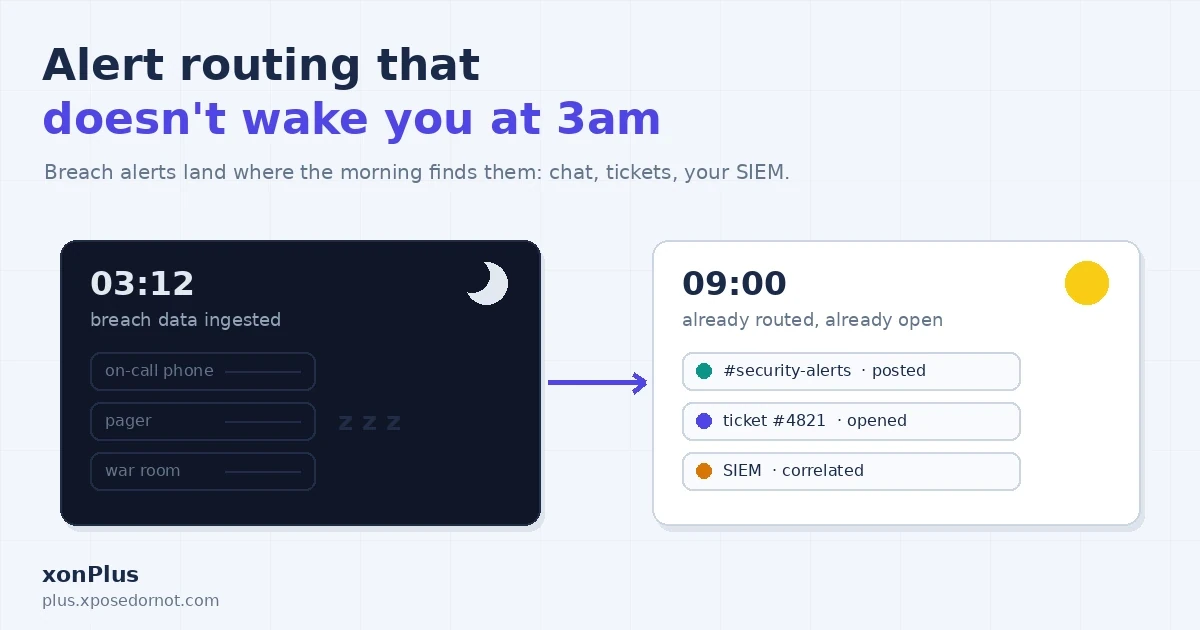
A breach alert is morning-queue work, and our alert routing post covers how to get it there.
It isn't only us saying third-party alerts deserve a slot. In the SANS 2026 SOC Survey , 71% of respondents said alerts and reports from third-party intelligence providers trigger a SOC response (a self-selected survey, with about 150 people answering that section). The slot just needs a size.
Your own company's domain, by the way, is free to watch on xposedornot.com/domain . It's a fair place to rehearse the 15 minutes before a client's alert makes it real.
Quick answers
What should an MSSP do when a dark web alert comes in for a client?
Check that it's new and whose it is, pull the new addresses and data classes for that domain, apply a written call rule, and log a short note before you acknowledge it. In that order it's about 15 minutes of work. Resets and device checks come afterwards.
Does a dark web alert mean my client was breached?
Usually not. It means addresses on the client's domain were in someone else's breach (a site their staff signed up to) or in a stealer log, and that data has now been indexed. The client's own systems may be untouched.
When should I phone the client instead of emailing?
Phone the same day when the source is a stealer log, when a breach under a year old exposed passwords in plaintext or easy to crack, or when a senior person's address comes with any password data. A written note with the reset list covers the other password cases and the contact-data ones (email addresses and little else can wait for the next report).
How many alerts should we plan for?
Fewer than most people fear. Our catalog added 146 breaches on 105 separate days in the 52 weeks to 13 November 2026, and each client only hears about the ones holding its addresses. For a second opinion, the 2026 Verizon DBIR found a median of seven credential leak events a year at the small organisations in its data.
Where the numbers came from
- Catalog figures: XposedOrNot public API (
/v1/breaches, cross-checked against/v1/metrics), pulled 13 November 2026. Window: the 52 weeks to that date by added date, 146 breaches. Added on 105 of 365 days (75 single-addition days, 4 at most, longest gap 21 days); 143 verified; 35 with passwords, 17 of them plaintext or easy to crack, 3 of those under a year old at indexing, plus the 1 stealer log (older, and one of the 17), which leaves 31 other password additions; 96 with a phone number, address or date of birth and no password; 15 with neither; 21 of 40 year-old-plus additions with passwords against 14 of 106 newer; 36 on a weekend (UTC); 145 between 00:00 and 16:00 UTC. Breach dates carry month precision. Counting rules on our data page. - Ranking-page read: 32 readable pages across six US searches, pulled and read by us on 13 November 2026.
- Partner API and console behaviour: xonPlus console documentation (Partner Dashboard , Checking Breaches , Webhook , Reports ), read 13 November 2026.
- NIST, SP 800-61 Rev. 3 , April 2025: RS.MA-02 preliminary review and the first-come, first-served line (printed pp. 26 to 27).
- L. Kersten et al., A Security Alert Investigation Tool Supporting Tier 1 Analysts , ACSAC 2024, Sec. 5.2: four analysts, one SOC; median 10 minutes per alert, 16.5 for the interesting ones, range 3 to 44.
- Verizon, 2026 Data Breach Investigations Report , p. 45: median credential leak events per year.
- K. Thomas et al., Data Breaches, Phishing, or Malware? , ACM CCS 2017, p. 10.
- J. Onaolapo, E. Mariconti, G. Stringhini, What Happens After You Are Pwnd , ACM IMC 2016, Sec. 4.3.2: 100 accounts, seven months.
- NCSC-UK, ACSC, CCCS, NCSC-NZ, CISA, NSA and FBI, Advisory AA22-131A , 11 May 2022, "Promote transparency".
- European Data Protection Board, Guidelines 9/2022 , version 2.0, paras. 44 and 45.
- SANS Institute, 2026 SOC Survey , June 2026, Figure 9: 444 respondents, about 150 on that section.