
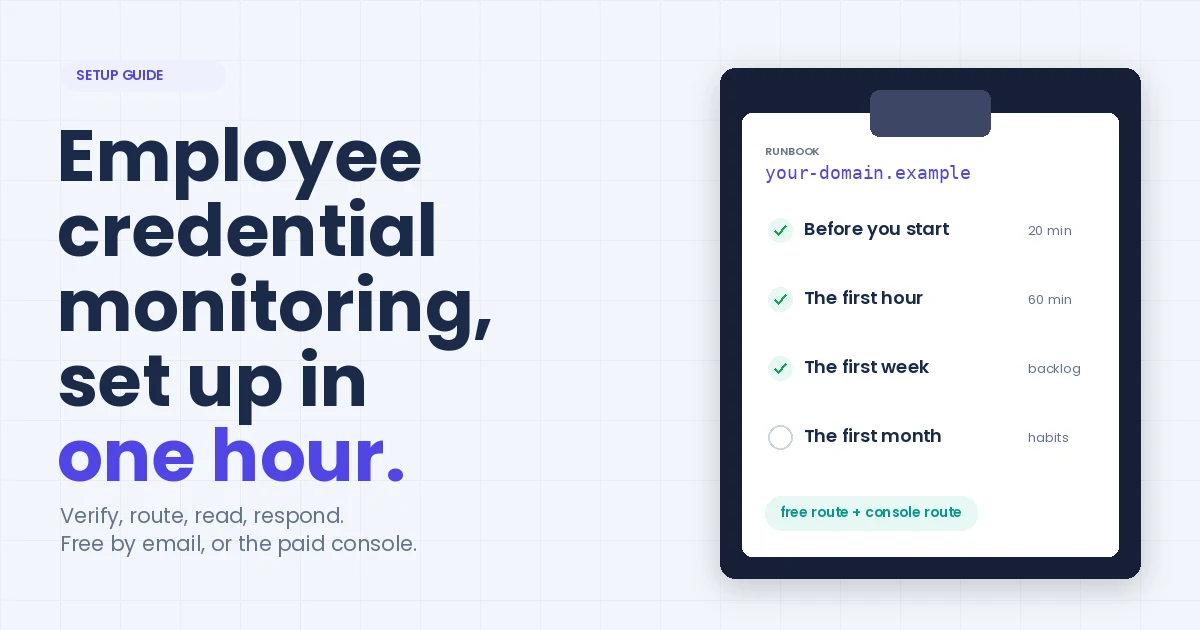
Employee Credential Monitoring: A Practical Setup Guide
Employee credential monitoring is a watch on the public breaches, combolists and stealer logs in our index for addresses on the domains your organisation owns. When one turns up, you hear about it in time to reset the account before anyone tries the password.
Setup is roughly an hour, whichever route you take. The free one: verify your domain on XposedOrNot and the alerts come by email. The paid one: the Enterprise module in the xonPlus console, which adds Slack, Teams and webhook channels, more domains, monthly reports and the API.
This runbook covers both. The index behind them held 783 breaches and 11.62 billion records on 8 September 2026.
It's what we'd hand a security lead on their first day. Not a product tour. The order things should happen in, what each step actually buys you, and the three places we've watched teams get it wrong.
Before you start
Twenty minutes of homework saves the whole first hour.
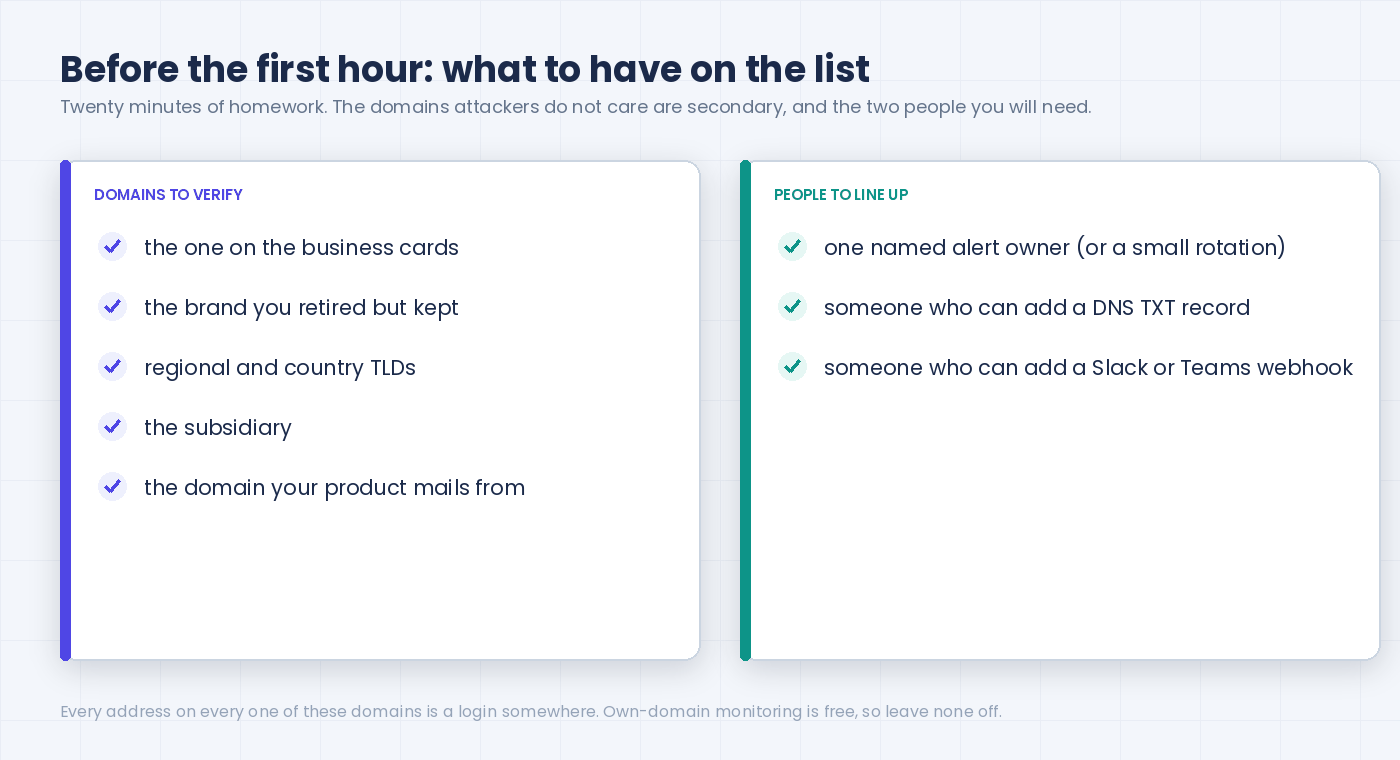
List your domains. Not just the one on the business cards. The old brand you retired in 2019 but never let lapse. The regional TLDs. The subsidiary. The domain your product sends transactional mail from. Every one of them has addresses that log in somewhere, and attackers don't care which is "primary".
Decide who owns the alert. One name, or a small rotation. Not a distribution list that everyone assumes someone else is reading. We've said this on the community blog for the ten-person company, and it's truer at five hundred: an unowned alert is a filed alert.
Pick the route. Community domain monitoring on XposedOrNot is free: a domain you can prove you own, alerts by email, a dashboard. The Enterprise module in the xonPlus console is paid and priced per domain, from $25 a month as of September 2026. Pick the console when the alert has to land in Slack or Teams, when there are several domains to run as one estate, or when you want the API and the monthly reports. Not sure? Start free. Nothing you learn in the first week is wasted if you move later.
Get two access rights ready. Someone who can add a DNS TXT record (or read the security@ mailbox, or drop a file on the web root), and, if you're going the console route, someone who can create an incoming webhook in your Slack or Teams workspace. Neither is hard. Both tend to be owned by someone who's in a meeting.
The first hour
Four steps. In this order, please. Each one is dead weight without the one before it.
Verify the domain (ten minutes)
Free route: go to xposedornot.com/domain , type the domain, pick a method.
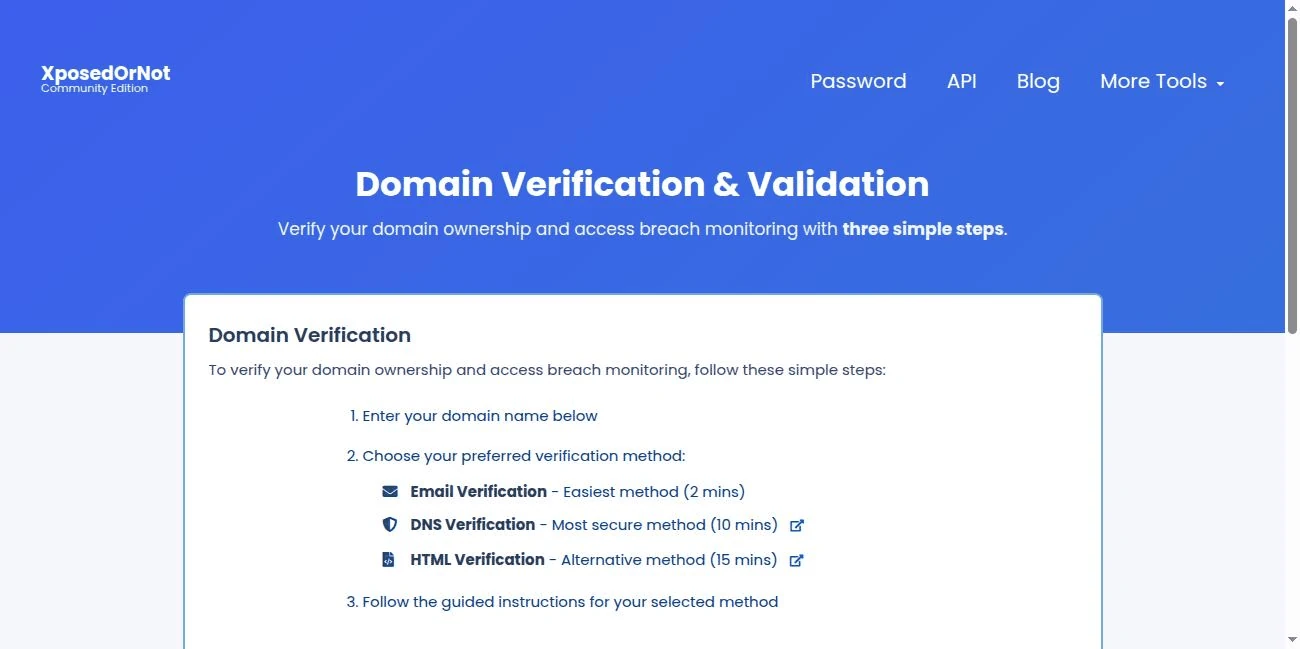
Email is the quickest. A one-time link goes to security@, admin@, webmaster@, postmaster@ or hostmaster@ on that domain and you've got 30 minutes to open it. DNS TXT if none of those mailboxes exist (allow 10 to 30 minutes for propagation). A file or a meta tag on the web root if DNS is locked down. You'll also be asked for a monitoring address on the same domain. That's where the alerts will go, so choose it with the next step in mind.
Console route: Enterprise module, Domains, add the domain. DNS TXT record or a verification file on the web root, same idea. Paste the value, wait a few minutes, click Verify. The domain flips to Verified and monitoring starts from that moment.
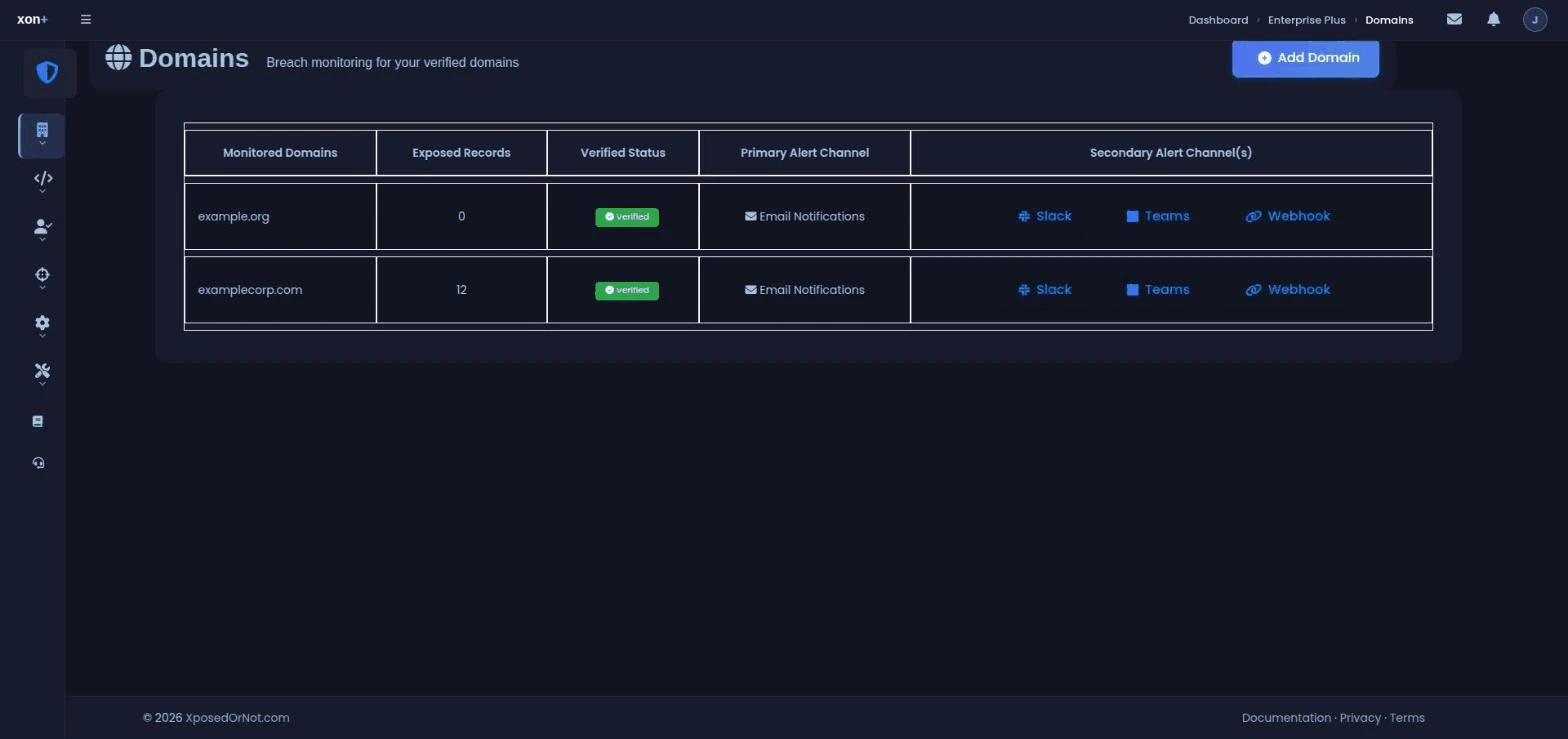
Either way, repeat for every domain on your list from the homework step. Seven domains? Do all seven. On the console the homework list also tells you which plan, since they're priced per domain.
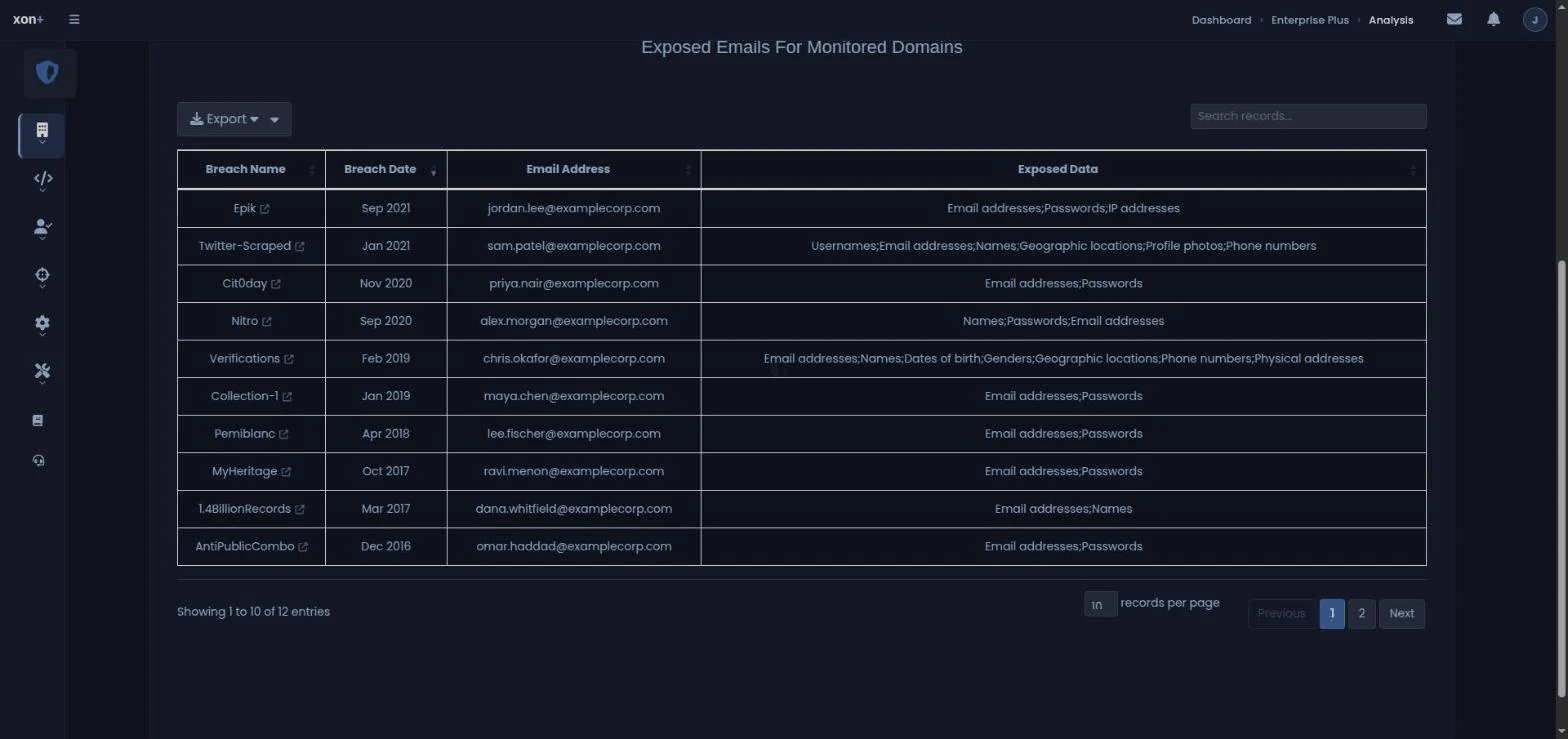
What you'll see immediately: the existing exposure. On the free route it arrives as an email the moment verification succeeds, and sits in the CxO dashboard after that. On the console it's the domain's exposure table: every address already in a known breach, the breach name, the date, what leaked alongside the password, and how the password was stored. That backlog is your first week's work, and we'll come to it.
Route the alerts (fifteen minutes)
An alert that lands in a mailbox nobody checks at 3am is a log entry. Wire it to the place your team actually looks.
Free route: the alerts go to the monitoring address you gave at verification, and it has to be on that domain. So don't make it a person. Make it security@ or a shared mailbox with an owner, then add one mail rule that forwards it into the channel your team reads. Fifteen minutes, most of it spent finding who owns the mail rules.
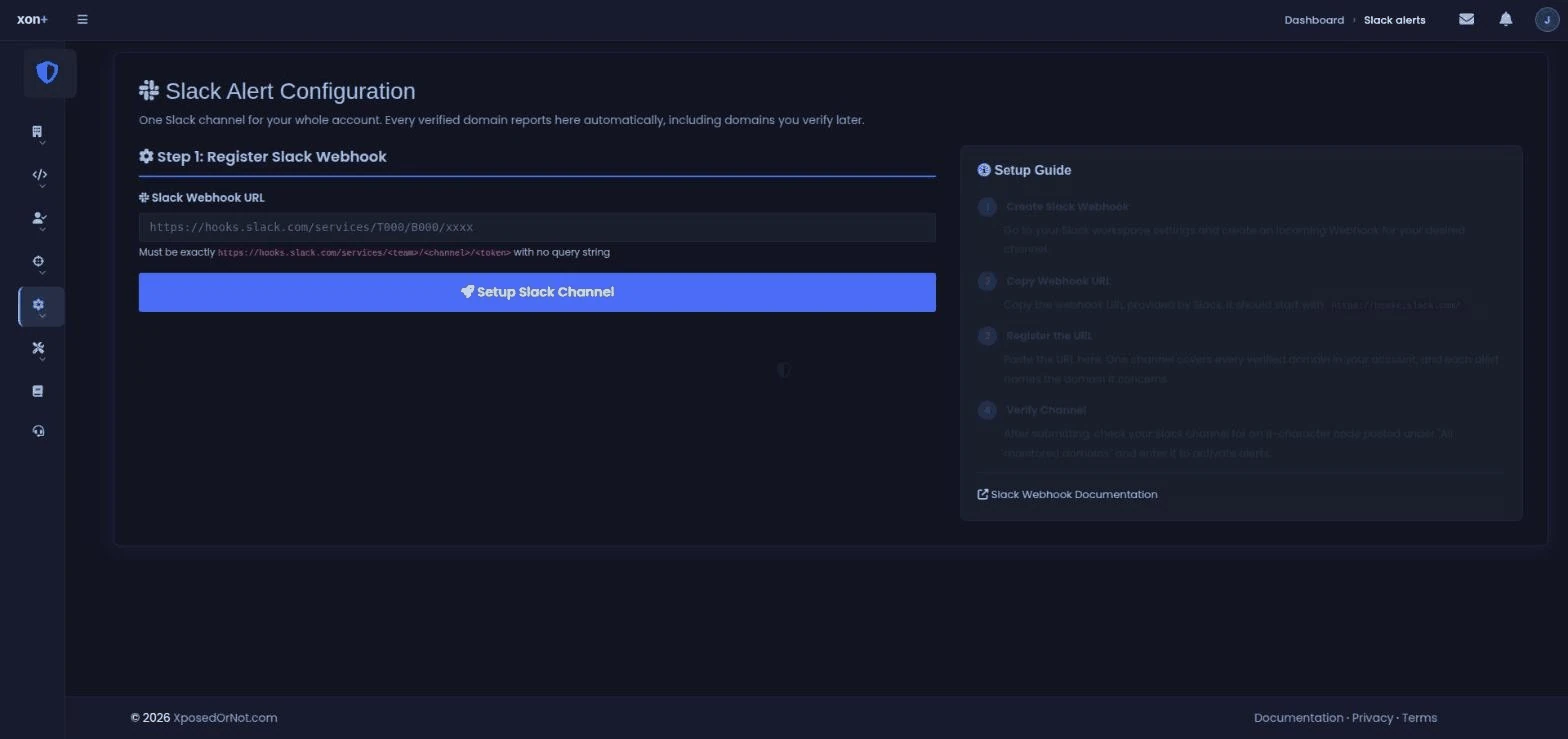
Console route: the Enterprise module takes one Slack channel, one Teams channel and one custom HTTPS webhook per account, any combination, and every verified domain reports to them, including domains you verify later. Slack wants an Incoming Webhook URL. Teams, these days, wants a Power Automate "when a webhook request is received" flow, because Microsoft is phasing out the older connector. A custom webhook takes any HTTPS endpoint you control and will carry custom headers if your endpoint needs a token.
Each channel makes you prove it's yours before a single alert flows: an eight-character code is posted into the channel (or POSTed to the webhook as a signed payload) and you paste it back. It feels like a hoop. It's the hoop that stops a typo delivering your breach alerts to a stranger for a year.
If you want the routing patterns argued out properly, chat for humans and webhook for the ticket queue, we wrote that up separately.
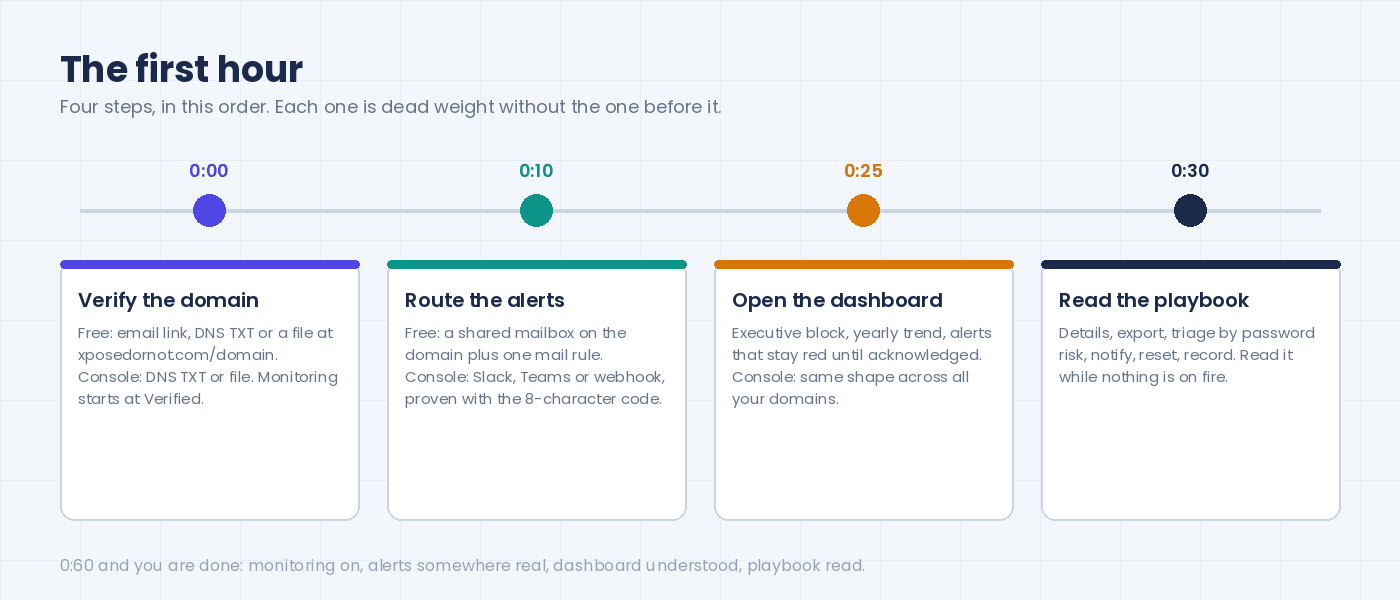
Open the dashboard (five minutes)
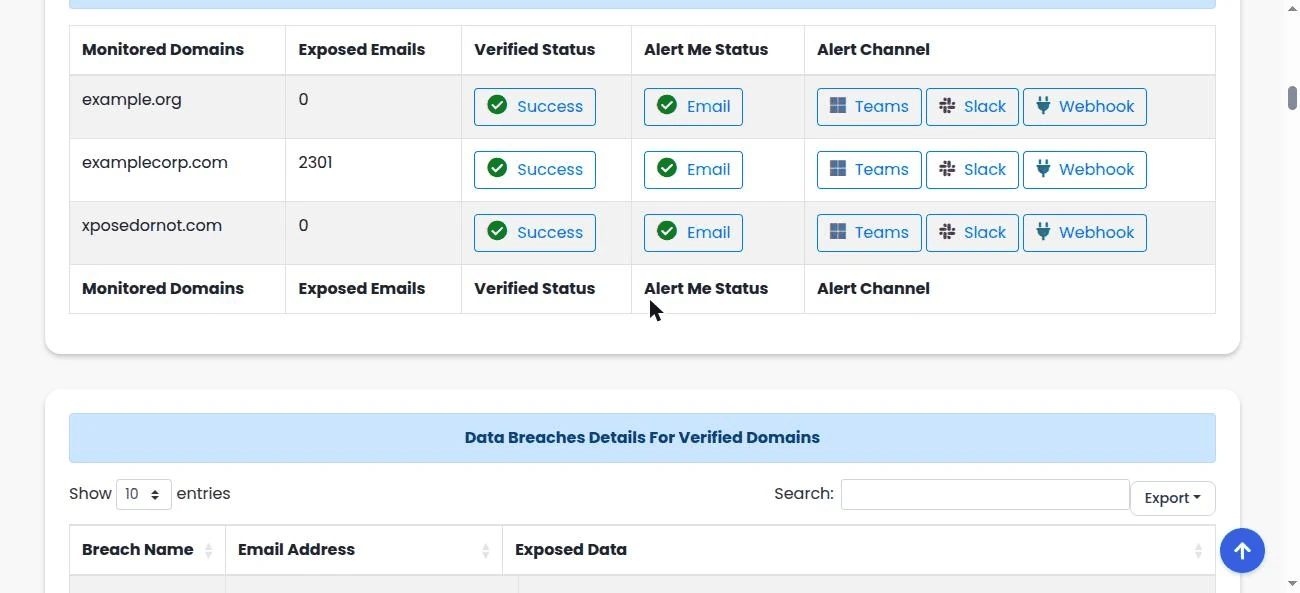
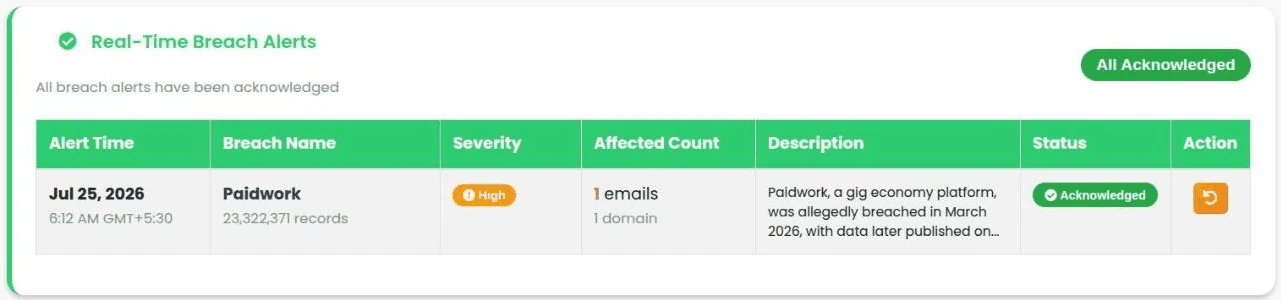
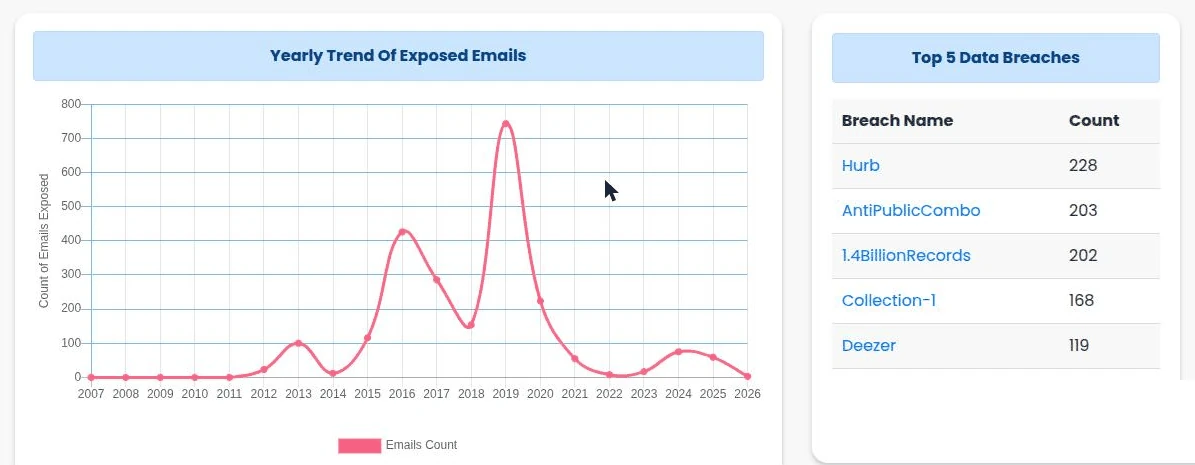
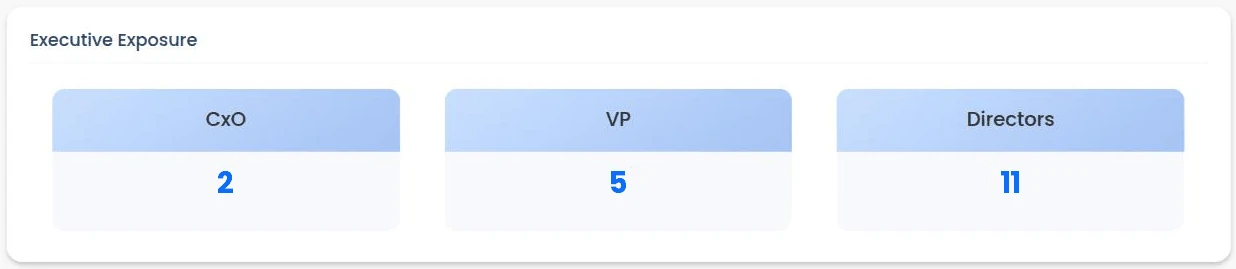
Free route: the CxO dashboard on XposedOrNot. An exposure overview, an executive block (CxO, VP, directors), a yearly trend of exposed addresses with the top five breaches beside it, the monitored-domains table, and the alerts table. One row per alert with the breach name, the record count, a severity, how many of your addresses it touched, and a status that stays red until someone acknowledges it.
Console route: Enterprise, Dashboard. Same shape, wider scope. A trend line of breach detections across all your domains, which is mostly flat and occasionally spikes when a big breach lands. The seniority breakdown. And a table with one row per domain, showing verification status, exposed record count, and the last scan.
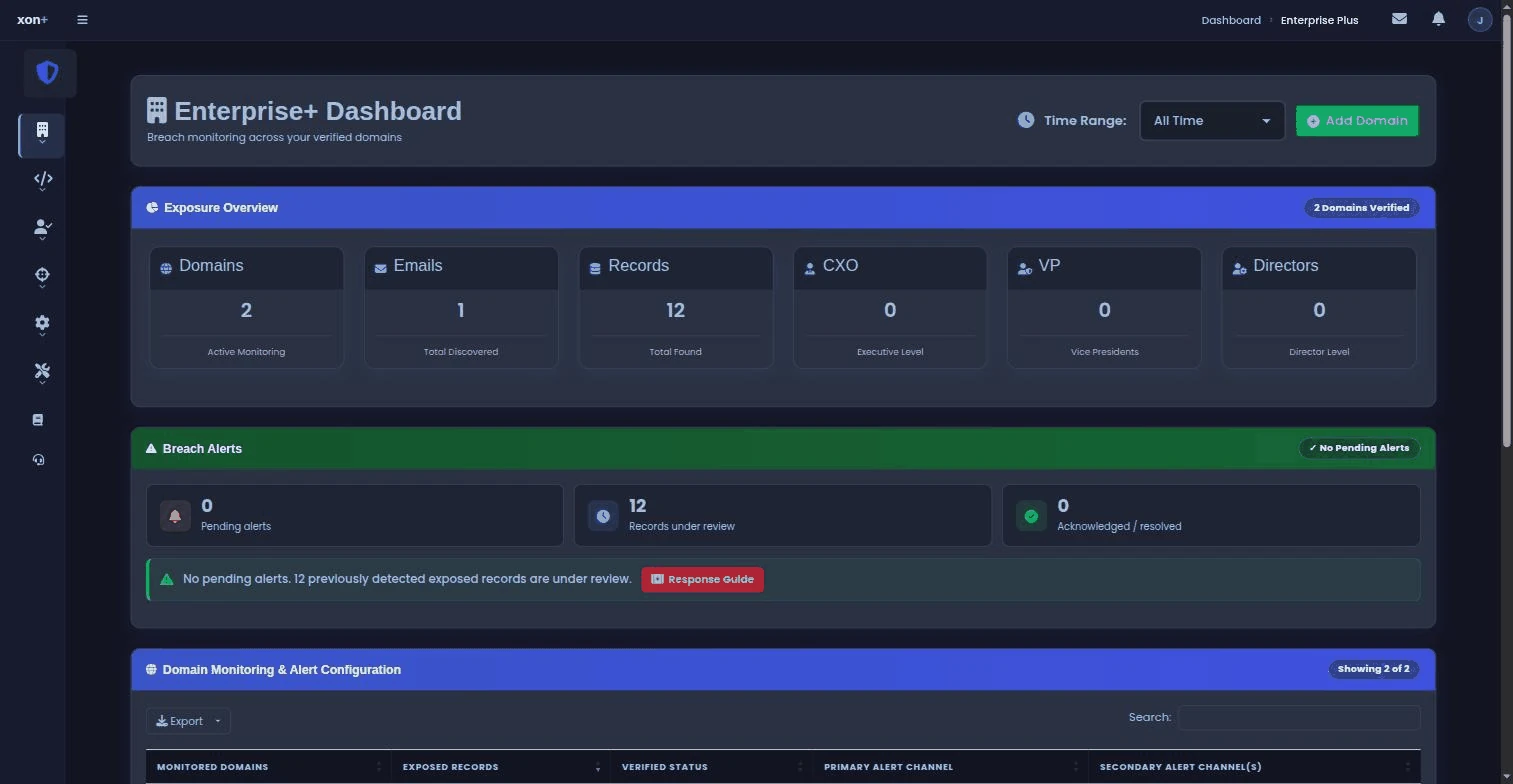
Either way, look at the seniority block first. An exposed executive mailbox isn't worth more records than anyone else's, but it's worth more to an attacker. The ATO guide goes through why the address, not the login page, is where a takeover starts.
Read the playbook once (ten minutes)
There's a breach response playbook in the console docs, and it's public, so read it whichever route you took. Read it now, while nothing's on fire, because the version of you that reads it under pressure will skip steps. The core of it is short: read the breach details, export the affected addresses, triage by how the password was stored, notify, reset, record.
That's the hour. Forty minutes of it, honestly; the rest goes on DNS propagating and the admin who was in a meeting. Monitoring's on. Alerts land somewhere real. You know what the dashboard means, and what to do when it moves.
The first week
The hour turns it on. The week makes it yours.
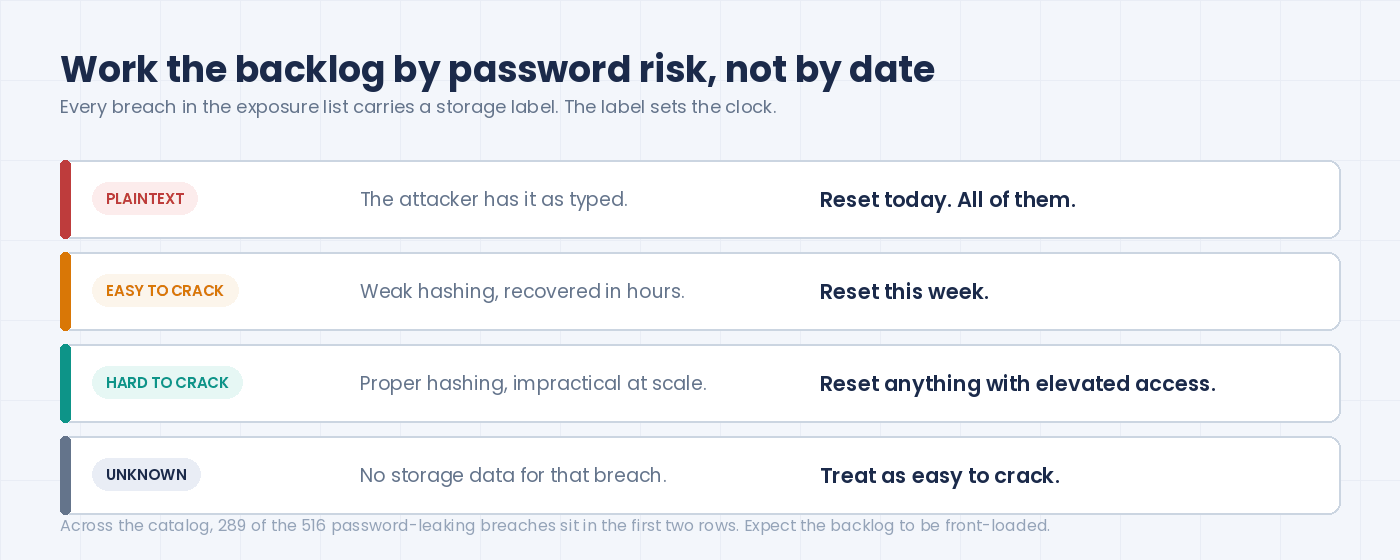
Work the backlog by password risk, not by date. Why by risk? Because the plaintext one from 2019 is still a working password, and the properly hashed one from last month probably isn't. Every breach in your exposure list carries a storage label: plaintext, easy to crack, hard to crack, or unknown. (On the free route, look the breach up in the public catalog ; the label's on its page.) Plaintext means the attacker has the password as typed. Reset those accounts today, all of them. Easy to crack means weak hashing that commodity hardware recovers in hours; reset those this week. Hard to crack is lower urgency, but reset anything with elevated access anyway. Unknown is our own label for breaches where the storage was never established; treat it as easy to crack until proven otherwise. Across our whole catalog, 289 of the 516 password-leaking breaches fall in the first two buckets, at least 56% , so expect the backlog to be front-loaded.
Cross the exposed list against your directory. The exposed addresses include people who left, shared inboxes, aliases, and service accounts nobody remembers creating. Each of those is a login somewhere. The leavers get deprovisioned properly this time. Shared inboxes need an owner (ask twice, the first answer is usually "IT"). The service account gets rotated and, for once, written down.
Tune the noise. After a few days you'll know what a normal week looks like. In our experience a mid-sized domain sees a handful of alerts a month, many of them describing breaches that happened years ago and only just surfaced. That's normal: the median gap between a breach and its data reaching our index is more than four years . An old breach is still a new fact about your users.
Decide the SIEM question. If you run one, the console's webhook already gives you a JSON feed, and its API lets your own scripts ask on a schedule. On the free route, a mail rule into the SIEM's ingest address does the same job, less elegantly. Either way, the point is that credential exposure shows up next to your other signals, not in a separate tab someone has to remember.
The first month
By now the setup is boring, which is the goal. Three habits keep it that way.
Acknowledge every alert. The community dashboard holds an alert red until someone acknowledges it, so use that. In Slack or a ticket queue, a thread reply or a closed ticket does the same job. Doesn't matter which, as long as someone's name and a timestamp land next to it. Unacknowledged alerts pile up into the thing nobody wants to open. Acknowledged ones are an audit trail: when the auditor, or the board, asks "what did you do about the March one", the timestamp is the answer.
Review the executive block monthly. Both dashboards carry it: CxO, VP, directors. Executive exposure changes when executives change. New CFO, new address, possibly already in three old breaches from their previous employer. A five-minute monthly glance catches that.
Re-verify the domain list. New product, new domain, forgot to add it. The domains page is a one-line check: is everything we own in the table, and is everything in the table still ours?
What's free and what's paid
Community domain monitoring on XposedOrNot is free: the verification, the email alerts, the dashboard, the acknowledgement. Same index as everything else we sell.
The Enterprise module in the xonPlus console is paid, per domain. As of September 2026 it starts at $25 a month for one domain, $97 for up to five, $199 for up to 25. Each plan adds the Slack and Teams channels, the webhook, monthly reports and API access; the executive dashboards come in from the five-domain plan up. No free trial, a 30-day refund instead. If the alert has to reach a channel rather than a mailbox, or there's more than one domain to watch, that's where the money starts.
Then there's other people's domains. If you're an MSSP or an MSP monitoring client domains under your own brand, with per-client isolation and reports you hand over, that's xonThreatIntel+, and it's paid. If you're a platform embedding breach exposure into a product for your customers, that's the platform mode, also paid. The reading guide for client reports shows what the paid side produces.
Your own staff, your own domains: free route or console, your call. That last line only matters when the domains aren't yours.
Three mistakes we keep seeing
Verifying one domain and stopping. The primary domain is usually the best-defended one. The retired brand with 40 forgotten mailboxes is where the plaintext passwords live.
Sending alerts to a person's inbox. Free route or paid, the alert has to land where a team looks. A personal mailbox gets filtered, forwarded, and forgotten, and it leaves with the person. Shared mailbox with a rule, or a channel.
Treating the backlog as done after one reset. A reset fixes the accounts you know about. The people who reused that password on their personal accounts, and the ones who'll reuse it again next quarter, are the reason monitoring stays on. That's also the honest case for a password manager , which we made from the same data.
Frequently asked questions
Is employee credential monitoring free?
For a domain you own, community monitoring on XposedOrNot is free: verification by email, DNS or a file, alerts by email, and a dashboard with acknowledgement. The Enterprise module in the xonPlus console is paid, per domain, from $25 a month as of September 2026, and adds Slack, Teams and webhook alerts, several domains, reports and the API. Monitoring other people's domains is xonThreatIntel+.
How fast does an alert arrive after a breach surfaces?
Minutes after the breach is indexed in our catalog. The longer clock is the one before that: the median gap between a breach happening and its data reaching any index is more than four years, because that's how long breach data takes to surface publicly. Monitoring shortens the second clock, not the first.
Does monitoring see the passwords themselves?
No. The index stores exposure facts: which address, which breach, what data types, how the password was stored. It never stores or displays the leaked passwords.
We already run a SIEM. Do we need the dashboard?
No. Route the console's webhook into the SIEM and treat the console as the place you verify domains and check the seniority view. The data is the same either way.
Appendix: sources and references
- Catalog figures (783 breaches, 11,621,497,431 records, 516 breaches listing passwords, 289 of them stored recoverably) pulled live from api.xposedornot.com/v1/breaches on 8 September 2026. Reproduce with the script below.
- Storage classification and the 56% figure: blog.xposedornot.com/password-storage-analysis-2026/, 7 September 2026.
- Median breach-to-index gap of more than four years: blog.xposedornot.com/breach-disclosure-lag-analysis/, August 2026.
- Setup steps, verification methods, alert channels and the response playbook: xonPlus console documentation, Enterprise module (Setup, Monitor, Respond pages), read 8 September 2026.
- Free community domain monitoring, the three verification methods and the same-domain monitoring address: xposedornot.com/domain, read 8 September 2026; acknowledgement behaviour from blog.xposedornot.com/free-org-breach-alerts/ (4 September 2026).
- Enterprise module pricing (per domain, $25 / $97 / $199 a month, no free trial, 30-day refund): plus.xposedornot.com/pricing, read 8 September 2026. MSSP and platform modes at plus.xposedornot.com/products/threat-intel/mssp and /integrate.
- Related: Employee Credential vs Dark Web Monitoring: Which Do You Need?
Reproduce the catalog numbers
import json, urllib.request
req = urllib.request.Request("https://api.xposedornot.com/v1/breaches", headers={"User-Agent": "Mozilla/5.0"})
d = json.load(urllib.request.urlopen(req))["exposedBreaches"]
pw = [x for x in d if "Passwords" in x["exposedData"]]
print("breaches:", len(d), "records:", sum(x["exposedRecords"] for x in d))
print("leak passwords:", len(pw), "recoverable:", sum(x["passwordRisk"] in ("plaintext", "easytocrack") for x in pw))
Output on 8 September 2026: breaches 783, records 11621497431; leak passwords 516, recoverable 289.